China Digital Survival Guide: eSIM, VPN & Essential Apps (2026)
You’ve already set up Alipay. Now let’s solve connectivity and navigation — the two things that make or break your trip.
Here is the situation most overseas travelers face: Google, WhatsApp, Instagram, Gmail, and YouTube are blocked in China. The Great Firewall is real. But the workarounds in 2026 are well-established, and the single biggest change over the past two years is that an eSIM now replaces a VPN for most travelers.
If you are planning to work remotely from China for an extended period — visas, coworking spaces, cost of living — our digital nomad guide to China covers the full picture beyond connectivity.
This guide explains which path is right for you, what to install before departure, and which traps to avoid. Do these things at home, on your own WiFi, before you board the plane. Nothing is fixable from inside China without internet.
The Core Principle: Roaming Bypasses the Firewall
Before we get into products, understand the one rule that explains everything:
Data that passes through a Chinese carrier’s local network is blocked. Data that passes through a foreign carrier’s roaming network is not.
This has nothing to do with SIM vs eSIM, or which provider you pick: it is purely about where your data exits onto the internet. A physical SIM from Hong Kong works exactly like an eSIM from Singapore. Both route your traffic out of China before it hits the open internet, so the firewall never touches it. If your trip includes Hong Kong or Macau themselves, the whiplash runs the other way: both have open internet with no VPN needed, and our Greater Bay Area guide maps out how to handle the transition at each border crossing.
Most travelers who report “my SIM card was blocked” bought a Chinese local SIM at the airport. That card uses a mainland Chinese carrier’s network exit, so it is firewalled. The confusion is entirely about local vs roaming, not about physical vs digital.
Step 1: Pick Your Data Card
For most travelers (1–4 weeks): An eSIM
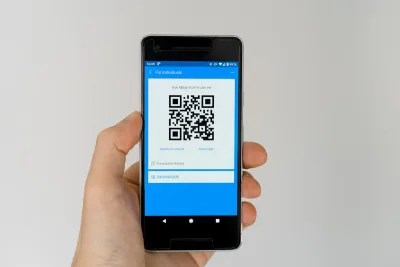
This is the simplest option. You buy online, scan a QR code at home, and land with working internet. Because international eSIMs route through Hong Kong, Singapore, or another non-mainland exit, Google, WhatsApp, Instagram, and YouTube work without a VPN.
Which eSIM to pick:
| Your priority | Best pick | Why |
|---|---|---|
| Cheapest daily cost | Trip.com | Plans from $0.49/day, daily data reset. Get the 2–3 GB/day plan — avoid the “100 GB/day” tier, which caps speed at 10 Mbps. |
| Lowest latency, full speed | Nomad | Hong Kong routing, 20 GB / 30 days for ~$20. No daily speed cap — runs at full 5G until you exhaust the data pool. Does not guarantee TikTok — IP location is not disclosed at purchase. |
| Must use TikTok | Trip.com “All AI & TikTok” plan | The only budget option that explicitly guarantees TikTok. Uses split tunneling — Hong Kong for regular traffic, Singapore/Macau for TikTok and AI apps. Search for “All AI & TikTok” on Trip.com’s eSIM page. |
| Unlimited data, zero math | Holafly | 30-day unlimited plans. Confirm current TikTok support before buying — it varies by batch. |
| Best value per GB | MobiMatter | Often 2–3× cheaper per GB than Airalo. Important: almost all China plans on MobiMatter use Hong Kong IP — TikTok will not work. Fine if you only need Google/WhatsApp/Instagram. |
Platform comparison (30-day plans):
| Platform | Routing | 30-Day Price | TikTok | Daily Reset? | Notes |
|---|---|---|---|---|---|
| Trip.com | HK / Macau (SG for “All AI & TikTok” plan) | ~$16 (1 GB/day) | ⚠️ “All AI & TikTok” plan only | ✅ | Cheapest. Buy on Trip.com. Search “All AI & TikTok” for the TikTok-compatible plan. Avoid “unlimited 100 GB” tier. |
| Nomad | HK or SG (not disclosed at purchase) | ~$20 (20 GB) | ⚠️ Unpredictable | ❌ (total pool) | Full speed, no daily throttle. IP varies by batch — no way to guarantee TikTok before buying. |
| MobiMatter | Hong Kong (most China plans) | ~$15–25 | ❌ | ❌ (total pool) | Best per-GB value for non-TikTok use. Almost all China plans explicitly state HK IP. |
| Airalo | HK (Chinacom) | ~$24–28 (10–20 GB) | ❌ | ❌ (total pool) | Most polished app. Pricier per GB. |
| Holafly | varies | ~$30–45 (unlimited) | ⚠️ Check before buying | N/A (unlimited) | True unlimited. Confirm TikTok support for current batch. |
The FUP trap: many eSIM plans advertise “unlimited” or “100 GB/day” but throttle you to 128–384 kbps once you hit a hidden daily cap. A plan that says “2 GB/day, 5G speed” with no small-print speed limit is almost always better than a plan that says “100 GB/day unlimited” with a 10 Mbps cap buried in the fine print. Read the details.
Data usage reality check: the average traveler on cellular data uses 1.5–2.5 GB/day. Light users (maps + messaging) use ~500 MB–1 GB. Heavy users (TikTok, YouTube, video calls) use 3–5 GB+. One hour of TikTok at standard quality burns about 1 GB.
For longer stays (30+ days) or if you need a +86 number: Dual SIM
No international eSIM comes with a Chinese phone number. Chinese law requires in-person passport verification and facial recognition for any +86 number. If you need a local number for ride-hailing verification, food delivery apps, or certain mini-programs, use two cards:
| Slot | Card | Purpose |
|---|---|---|
| eSIM | Trip.com / Nomad / etc. | Data — set as default for internet. Bypasses firewall. |
| Physical SIM | China Unicom (airport kiosk) | +86 number — SMS verification and local calls. |
Bring your passport to the carrier kiosk at the airport (China Unicom recommended, best band compatibility with foreign phones). Plans start at ¥100–150 for tourist short-term packages that auto-cancel when they expire. See airport SIM guide below.
Setting it up on your phone: set “Cellular Data” to the eSIM and “Voice & SMS” to the Chinese SIM. Your internet goes through the eSIM (no firewall), and local apps receive verification codes through the Chinese number.
Hardware limits: iPhone 13 and newer support dual eSIM, but only two lines active at once. If you carry your home SIM as an eSIM plus a travel eSIM plus a Chinese physical SIM, one of the three must be turned off. Most travelers turn off their home eSIM while out and toggle it back on when they need to check messages. Android phones vary: most support one physical + one eSIM. Google Pixel 7+ and Samsung Galaxy S24+ support dual eSIM.
If your phone does not support eSIM
Check: dial *#06#. If you see an EID number, your phone supports eSIM. If not, buy a physical roaming SIM from a Hong Kong or Singapore provider before departure (Lucky2, 3HK DIY). These physical cards route the same way as eSIMs and bypass the firewall. You cannot buy these at a mainland Chinese airport.
eSIM vs VPN vs Traditional Roaming: The Decision Matrix
Three tools, three different jobs. Travelers often ask “eSIM or VPN?” as if they were interchangeable. They are not: an eSIM gives your phone unblocked mobile data, a VPN unblocks devices stuck on Chinese networks, and traditional roaming is your home carrier doing the eSIM’s job at several times the price. Here is how the four realistic setups compare:
| Method | Best For | Blocks Google? | Works on WiFi? | Works on Laptop? | Monthly Cost | Setup Difficulty |
|---|---|---|---|---|---|---|
| International eSIM | 1–4 week trips, phone-only use | No (roams via HK/SG) | No | Only via hotspot | $15–30 | Easy: scan a QR code at home |
| VPN + Local SIM | Long stays, laptop work on hotel WiFi | Yes, until the VPN is on | Yes | Yes | $10–20 (VPN) + ¥100–150 (SIM) | Moderate: install the VPN before departure, passport at airport kiosk |
| Traditional Roaming (home carrier) | Trips under a week, zero-prep travelers | No (roaming bypasses the firewall) | No | Only via hotspot | $80–300 (typically $10–12/day) | None: flip on roaming and land |
| Dual SIM (eSIM data + Chinese physical SIM) | 30+ day stays, need a +86 number | No (data rides the eSIM) | No | Only via hotspot | $15–30 + ¥100–150 | Moderate: airport kiosk + phone settings |
Note the WiFi column: nothing in this table fixes hotel WiFi except a VPN. That is why the eSIM-plus-VPN combination keeps coming up in this guide. They solve different halves of the same problem.
The short version, as a decision tree:
- Just need phone data for 1–4 weeks? → Buy an eSIM at home.
- Need to work on a laptop with hotel WiFi? → eSIM + install a VPN before departure.
- Staying 30+ days and need a Chinese phone number? → eSIM + airport Chinese SIM dual setup.
- Have a carrier-locked phone? → Buy a physical Hong Kong/Singapore SIM before departure.
One honest sentence in defense of traditional roaming: it works, it bypasses the firewall exactly like an eSIM does, and for a three-day business trip on a company card it is the simplest option there is. For anything longer, the daily fees make an eSIM the obvious pick.
Step 2: Know When You Actually Need a VPN
An eSIM handles most situations. But a VPN is still essential for:
| Scenario | Why VPN is needed |
|---|---|
| Hotel / café WiFi | All local WiFi uses a Chinese IP — everything is blocked regardless of your eSIM. |
| Laptop or WiFi-only iPad | These devices cannot use your phone’s eSIM. Without a hotspot, they connect to local WiFi and hit the wall. |
| eSIM glitches or runs out | If your eSIM data pool is exhausted or the routing temporarily switches to a mainland carrier, a VPN is your fallback. |
| Streaming region-locked content | Netflix, Disney+, and some YouTube content require your home country’s IP even when your internet works. |
Which VPN actually works in China
The Great Firewall uses deep packet inspection. Standard protocols (OpenVPN, WireGuard, IPSec) are detected and blocked. You need a VPN with obfuscation: technology that disguises VPN traffic as regular HTTPS.
| VPN | Works in 2026? | Devices | Price | Notes |
|---|---|---|---|---|
| Astrill | ✅ | 5 | ~$20/mo | Stability king. Proprietary StealthVPN protocol. Most reliable for long stays. Expensive, no refund. |
| ExpressVPN | ✅ | 8 | ~$12/mo | Automatic protocol selection. 30-day refund. Mainstream, polished apps. |
| Surfshark | ✅ | Unlimited | ~$2–3/mo (2yr) | NoBorders mode auto-activates in China. Best value for multiple devices. 30-day refund. |
| NordVPN | ⚠️ Needs setup | 10 | ~$12/mo | Must enable “Obfuscated Servers.” Good value on annual plans. |
| StrongVPN | ✅ | 12 | ~$10/mo | Supports Alipay payment. WireGuard with obfuscation. |
| LetsVPN | ❌ | — | — | Terminated China operations in 2026. Old guides still recommend it — ignore them. |
| Mullvad | ⚠️ Hit or miss | 5 | €5/mo | WireGuard with obfuscation helps but inconsistent. |
| Free VPNs | ❌ | — | — | Blocked, slow, and potentially dangerous. |
Install and test at home. VPN websites are blocked inside China. You cannot download one after you land. Pick one from the table above (Astrill, ExpressVPN, or Surfshark are the safest bets), pay for a month, install it, connect once at home to confirm it works, then save your login credentials somewhere offline.
Using a VPN day-to-day: connect before opening blocked apps. Turn it off before paying with Alipay or WeChat: “Los Angeles IP” + “Beijing GPS” triggers payment security blocks.
For long stays (1 month+): the two-VPN strategy. The firewall’s blocking is dynamic: even Astrill or ExpressVPN can go down for hours during sensitive periods. If you are staying more than a month, install a primary VPN (Astrill or ExpressVPN) plus a backup (Surfshark is ideal: cheap, unlimited devices, and the NoBorders mode provides a different circumvention path). If one goes down, switch to the other. This replaces the old “install two VPNs” advice from pre-eSIM days. Now the eSIM handles daily mobile use, and the dual VPN covers WiFi and laptop scenarios with redundancy.
Step 3: The App Stack
Install these before you leave. In order of importance.
Tier 1: Non-negotiable
| App | What it does |
|---|---|
| Alipay | Payment for everything. Passport-verified, international card linked. Setup guide here. |
| Messaging, backup payment, mini-programs. | |
| Your VPN (Astrill, ExpressVPN, or Surfshark) | Installed, tested, ready. For stays over 1 month, install two. |
Tier 2: Daily drivers
| App | Why |
|---|---|
| Amap (高德地图) | The best navigation app in China. Google Maps data is years out of date here. Amap has an English mode (Settings → Language). Includes real-time transit, walking directions, and traffic. |
| DiDi (滴滴出行) | Ride-hailing. Available inside Alipay as a mini-program — no separate download needed. |
| Google Translate (or Baidu Translate) | Download the Chinese offline pack. Camera translation for menus and signs. |
| Trip.com | Hotel and train bookings. Full English interface, accepts international cards. |
Tier 3: Nice to have
| App | What it does |
|---|---|
| Meituan (美团) | Food delivery, bike rental. Chinese-only but photo-heavy. |
| Dianping (大众点评) | Yelp of China. Find restaurants by photo and rating. |
| 12306 | Official train booking app. English version available. |
Alipay mini-program trick: DiDi, train tickets, bike rental, and food delivery all live inside Alipay. Open the app, tap “More,” and scan the icons. You rarely need separate apps.
What is Blocked and What Works
| Works freely | Blocked (eSIM or VPN needed) |
|---|---|
| Alipay, WeChat Pay, WeChat | Google (Search, Gmail, Maps, YouTube, Drive) |
| Amap, Baidu Maps | WhatsApp, Telegram, Signal |
| DiDi, Meituan | Instagram, Facebook, X (Twitter) |
| Apple Maps (partial) | Netflix, Spotify, Disney+ |
| Bing, Outlook | Reddit, Discord, Twitch |
| iMessage, FaceTime | BBC, CNN, NYT, WSJ |
| TikTok (varies — see below) |
TikTok: it depends entirely on routing
TikTok is not blocked by China’s firewall. It is blocked by TikTok itself from operating in Hong Kong (since 2020). If your eSIM routes through Hong Kong, TikTok will show a black screen regardless of your internet connection. If your eSIM routes through Singapore, Thailand, or another non-HK exit, TikTok works normally.
The problem: most eSIM providers do not clearly disclose their routing IP at purchase. Nomad’s IP varies by batch; you cannot tell before buying whether you will get Hong Kong or Singapore. MobiMatter’s affordable China plans (TsimTech, RoamVault) explicitly state “Hong Kong IP.” Lucky2 is a Hong Kong carrier, same restriction. Even Airalo’s Chinacom package routes through Hong Kong.
The verified exception: Trip.com sells a specific “中港澳 5G eSIM | All AI & TikTok” plan that explicitly guarantees TikTok. It uses split tunneling — your regular traffic (Google, Instagram, WhatsApp) goes through low-latency Hong Kong nodes, while TikTok and AI tool traffic are automatically routed through Singapore or Macau. As of mid-2026, this is the most affordable eSIM that explicitly delivers TikTok in China.
The SIM card trap: TikTok also reads your phone’s SIM card country code (MCC). If you have a Chinese physical SIM inserted (even if you are using eSIM data), TikTok may still detect the Chinese SIM and block access. When using TikTok, disable your Chinese SIM in Settings → Cellular, or remove the physical card. This applies to every eSIM, including Trip.com’s “All AI & TikTok” plan.
If you already bought a Hong Kong-routed eSIM: you can still use TikTok by connecting through a VPN set to a US, Japan, or Singapore server, but you must also disable any Chinese SIM cards in your phone.
Airport SIM Pickup: Getting a Chinese +86 Number
If you need a local number, buy at the airport. Do not wait until you are in the city.
Shanghai Pudong (PVG): T1 and T2 international arrivals halls, 24-hour service desks. Look for “One-stop Service Station for International Travelers.” China Unicom and China Mobile both present.
Beijing Capital (PEK): T3 international arrivals, Exit B, directly opposite the exit. Look for the “北京服务 (Beijing Service)” desk with four service islands. The westernmost island handles SIM cards and payments. 24-hour service.
What to bring: your passport (original, not a copy). Tell them “Tourist Prepaid SIM — short-term.” They will scan your passport and take a facial recognition photo. Ask for China Unicom if you have a choice: best band compatibility with foreign phones. Plans start at ¥100–150 for packages that auto-expire. You can pay with Visa, Mastercard, or cash.
Do not buy SIM cards from convenience stores or street vendors; they cannot legally register foreign passports.
Android Phones: Extra Things to Check
Android eSIM support is fragmented. Google Pixel (3 and newer) and Samsung Galaxy S/Note flagship international models support eSIM. Most budget and mid-range Androids do not. Chinese-brand phones sold internationally (Xiaomi, OnePlus, OPPO) rarely support eSIM even on flagship models. Check before you rely on this.
Band compatibility: China Unicom uses global-standard 4G bands (B1, B3, B8) that nearly all foreign phones support. China Mobile uses TDD-LTE bands (B39, B40, B41) that some older US and European phones lack. If your phone only gets 3G or no signal on China Mobile, manually switch to China Unicom in your eSIM settings.
Carrier lock: US phones bought through AT&T, Verizon, or T-Mobile on installment plans are often carrier-locked. A locked phone cannot install a foreign eSIM. Check in Settings → About → Carrier Lock before departure. If it says “SIM locked,” contact your carrier to unlock.
Pre-Flight Checklist: 3 Days Before Departure
Day 3 — Phone & network
- Buy and install your eSIM at home on your own WiFi (do not wait until you land; the installation requires connecting to overseas servers, which is impossible inside China)
- Install the eSIM, then turn it off: the 30-day countdown starts only when it first connects to a Chinese tower
- On your home SIM: turn off Data Roaming (prevents accidental roaming charges)
- On your home SIM: turn on Wi-Fi Calling (lets you receive calls and texts through your eSIM’s data connection in China)
- Install and test your VPN; confirm it connects before you leave
Day 2 — Payment
- Register Alipay with your home phone number, upload passport for verification (takes 12–24 hours)
- Register WeChat, complete verification
- Add 1–2 international credit cards to both apps (use a card with no foreign transaction fee)
- Set a travel notice with your bank so your cards are not frozen on first use in China
Day 1 — Apps & cash
- Download Amap, Google Translate (with Chinese offline pack), Trip.com
- Screenshot: eSIM QR code, VPN login, hotel address in Chinese, passport photo page
- Withdraw ¥300–500 in cash (ask for ¥10 and ¥20 notes, useful for street stalls that only accept personal QR codes)
- Pack a power bank: your phone is your wallet, map, translator, and ticket
The Bottom Line
China’s internet is less of a problem than it was five years ago. The combination of international eSIMs (for mobile data), a VPN (for hotel WiFi and laptops), and Alipay (for everything else) covers essentially every scenario a traveler encounters.
Install the eSIM at home. Install one VPN as backup. Set up Alipay before you fly. The rest you solve with a charged phone and a translation app.
FAQ
Do I still need a VPN if I have an eSIM?
On mobile data: no. An international eSIM routes through Hong Kong or Singapore, so Google, WhatsApp, Instagram, and YouTube work without a VPN. But hotel and café WiFi always uses a Chinese IP; you need a VPN for WiFi. And for laptops or tablets that cannot use your eSIM, a VPN is essential. See Step 2 for the full breakdown.
Can I install a VPN after I land?
No. VPN websites are blocked in China. Install and test your VPN at home before departure. Keep your login credentials somewhere offline, not in an email you cannot access.
Do I need a Chinese phone number?
For most 1–4 week trips: no. An eSIM with data handles maps, payments, and messaging. You need a +86 number only for food delivery apps, certain mini-programs, or ride-hailing SMS verification. If you do need one, buy at the airport; see Airport SIM Pickup.
Which eSIM works with TikTok?
Trip.com’s “All AI & TikTok” plan is the verified option. It routes TikTok traffic through Singapore/Macau while regular traffic goes through Hong Kong. Other eSIMs with Hong Kong routing (MobiMatter, Airalo, Lucky2) will show a black screen. Also disable any Chinese physical SIM card when using TikTok. The app checks your SIM’s country code.
What if my eSIM runs out of data?
Most eSIMs can be topped up through their app or website, but those sites may be blocked in China. Keep a VPN as backup internet. Better: buy more data than you think you need, and check your usage every few days in your phone’s settings.
Related Guides
- Mobile Payment Guide — Alipay setup, step by step
- First-Time China Guide — Visas, timing, destinations, everything
- China Travel Myths Debunked — The firewall, the language, the food — what is actually a problem
- China Packing Guide — What to pack, starting with the digital stuff
This guide is kept current. Last updated July 2026.